
AI in Homeforce
Every AI feature in Homeforce, what each one does, who can use it, and what the AI can and can't do on its own.
Homeforce uses AI to take busywork off your plate: drafting estimates, writing follow-ups, suggesting who to send, and answering questions about your numbers. This page lists every AI feature and where to find it.
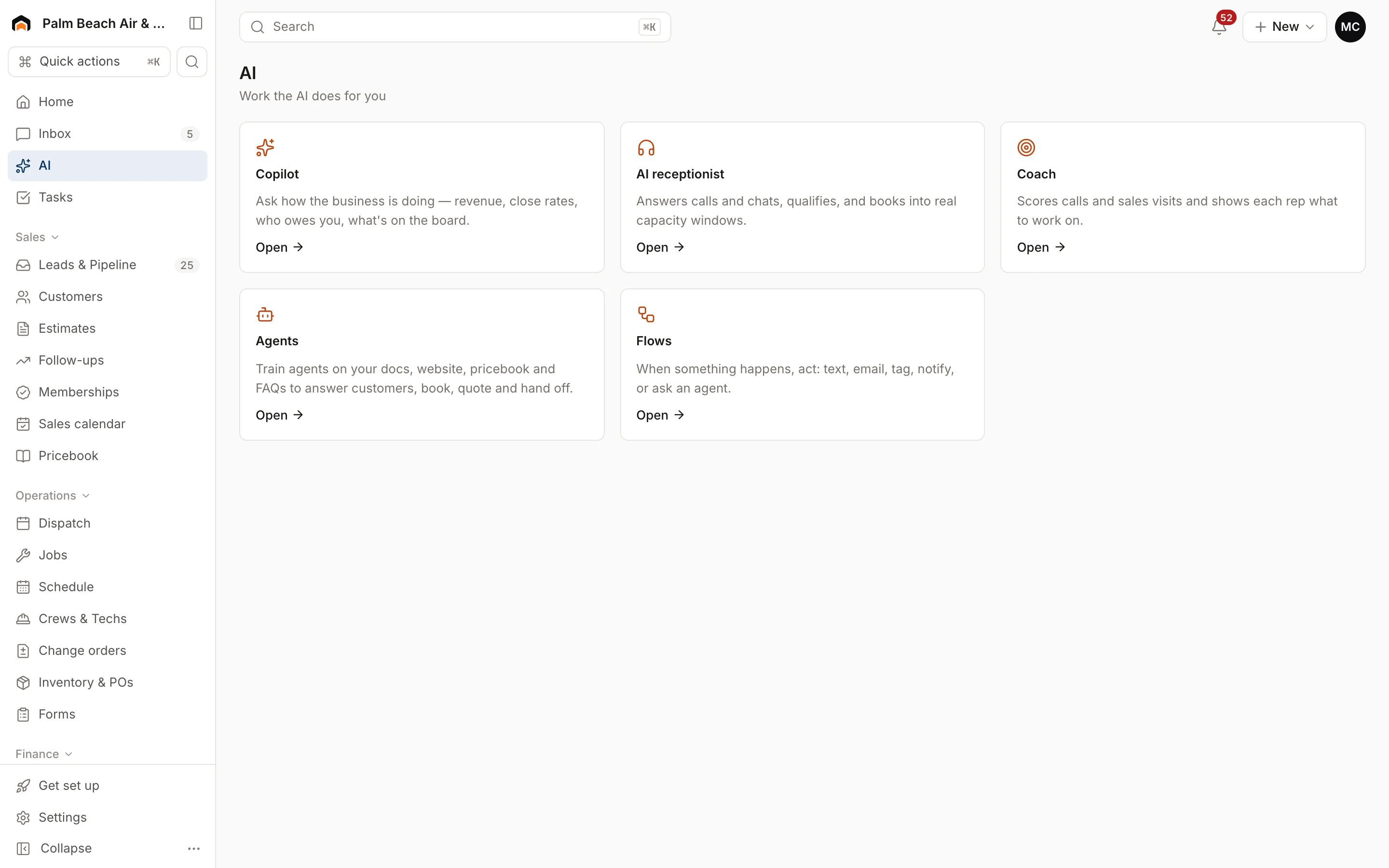
The AI page
Open AI in the sidebar to see the AI tools your role can use. Which tiles you see depends on your role and what your company has turned on.
| Feature | What it does | Where |
|---|---|---|
| Copilot | Answers questions about revenue, techs, estimates and who owes you | AI → Copilot |
| AI receptionist | Qualifies a caller and books a job into open time. Try it in the simulator | AI → AI receptionist |
| Coach | Scores calls and sales visits with tips for each rep | AI → Coach |
| Agents | Assistants you set up for one job, like collections | AI → Agents (Labs) |
| Flows | "When this happens, do that" automations | AI → Flows (Labs) |
AI built into everyday screens
- AI estimate on a job, or in the field app: drafts good/better/best options from your notes and pricebook. See AI estimates and follow-ups.
- Write follow-up on a sent estimate: drafts a personal text and email.
- Dictate in the field app: turns a tech's spoken notes into clean visit notes.
- AI Suggest on the dispatch board: ranks the best tech for a visit. See AI dispatch suggestions.
- AI starter pricebook on the pricebook page: suggests starting flat rates for your trades.
What AI can and can't do
It can: read your company's data to answer questions, draft estimates, messages and notes, and suggest techs and time slots.
It can't (today):
- Send a message, send an estimate, or move a visit without a person clicking the button. Every AI draft and suggestion waits for you.
- Change records on its own. Agents only read data and answer.
- See another company's data.
The only things that act automatically are Flows you build yourself, and those follow your exact rules.
Turn AI on and set guardrails
- Settings → Agents & AI CSR shows which AI model is in use and holds the receptionist settings.
- Settings → AI approvals is where you choose what must wait for a person. See Set AI approvals.
- Settings → Labs is where the owner turns on Agents and Flows.
Was this helpful?
Related articles
AI agents
Set AI approvals
Choose which AI actions wait for a person to approve, and see how approvals work in Homeforce today.
AI agents
Ask Copilot about your business
Ask plain-English questions about revenue, close rates, techs, memberships and unpaid invoices, answered from your live data.
AI agents
AI estimates, follow-ups and dictation
Let AI draft good/better/best estimates from your notes, write estimate follow-ups, and turn a tech's spoken notes into clean visit notes.
AI agents
Try the AI receptionist
How the AI receptionist qualifies callers and books into open time, how to test it in the simulator, and what its settings do today.
Still stuck?
Our team answers support emails during business hours, usually within a few hours.