
Ask Copilot about your business
Ask plain-English questions about revenue, close rates, techs, memberships and unpaid invoices, answered from your live data.
Copilot answers questions about how your business is doing, in plain English, using your live Homeforce data. It's like asking your bookkeeper and dispatcher at the same time.
Who can use it
- Copilot is on the Scale plan.
- People whose role can see reports can use it: owners, admins, dispatchers, sales reps, project managers and accounting. Techs and subcontractors can't.
Ask a question
- Go to AI → Copilot.
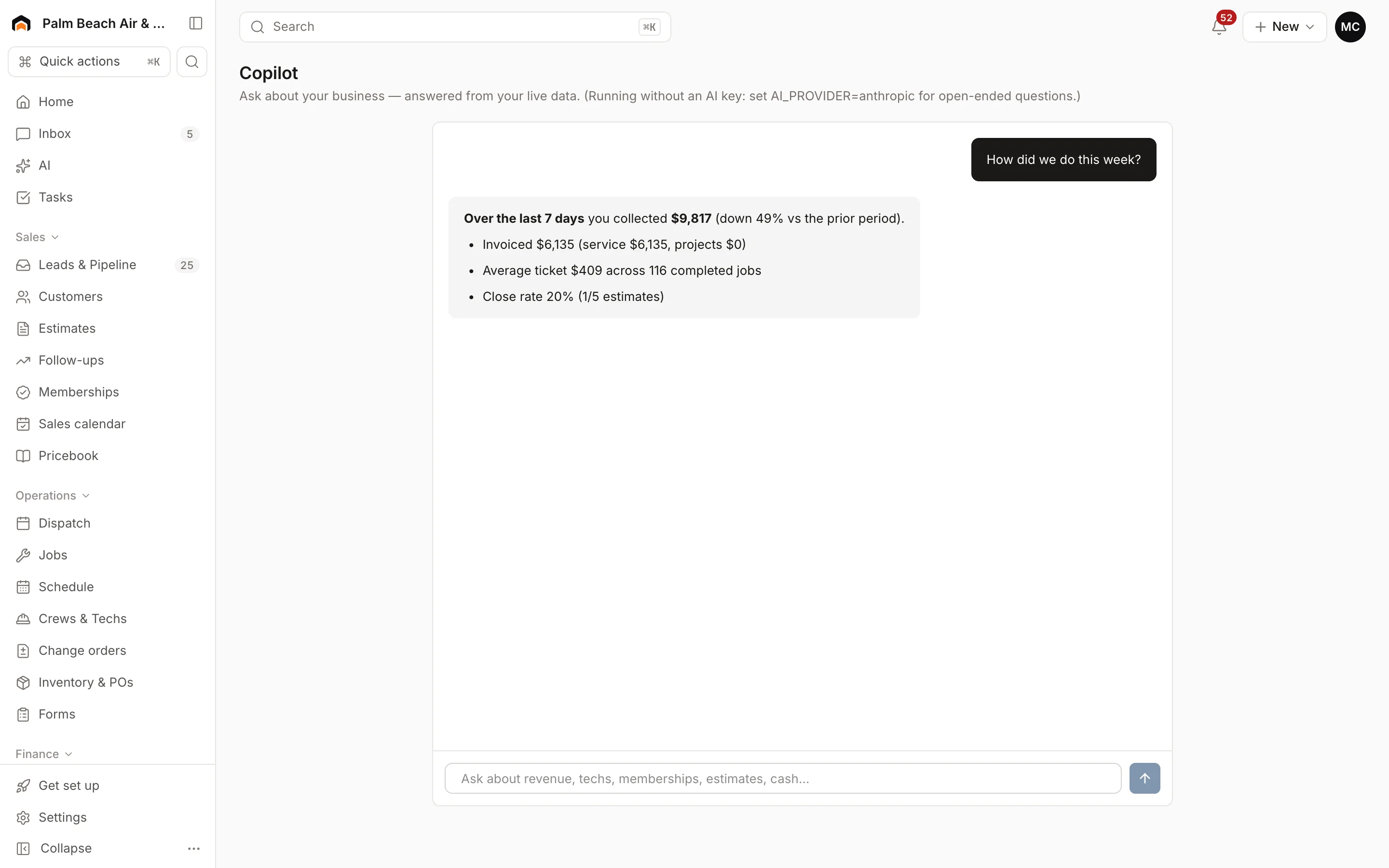
- Type your question in the box, or click one of the suggestions, like "How did we do this week?" or "Who owes us money?".
- Read the answer. It leads with a one-line answer, then the numbers that matter, and sometimes a suggested next step.
- Ask a follow-up. Copilot remembers the conversation.
What it knows
Copilot can look up:
- Revenue collected, invoiced (service vs. project), average ticket, jobs completed and close rate, for any number of days back
- A leaderboard of techs and salespeople
- Active members, monthly recurring revenue, and past-due or renewing memberships
- Open estimates waiting on a decision
- Unpaid invoices and the total outstanding
- Leads, jobs, revenue, spend and return by lead source
- Today's dispatch board: how many visits are scheduled, en route, on site or done, plus emergencies
What it can't do
- It only reads. It can't send messages, change a job or create an invoice.
- It only uses the numbers it looks up, so it won't guess at things outside the list above, like inventory or payroll.
Good questions to try:
- "Which lead sources are paying off this quarter?"
- "Who's my best closer over the last 90 days?"
- "Which memberships are expiring?"
- "What's happening on the board right now?"
Was this helpful?
Related articles
AI agents
AI in Homeforce
Every AI feature in Homeforce, what each one does, who can use it, and what the AI can and can't do on its own.
Reports
Reports overview
See revenue, invoicing, average ticket, close rate, team performance and lead source ROI for any recent period.
AI agents
Set up AI agents
Create assistants with one job, like collections or estimate follow-up, choose what data they can read, and ask them questions.
AI agents
Try the AI receptionist
How the AI receptionist qualifies callers and books into open time, how to test it in the simulator, and what its settings do today.
Still stuck?
Our team answers support emails during business hours, usually within a few hours.