
Get AI dispatch suggestions
Use AI Suggest on the dispatch board to find the best tech and time for a visit, then assign with one click.
AI Suggest looks at a visit and tells you which techs could take it and when, ranked from best to worst. You pick one and it's assigned.
Use AI Suggest
- Go to the dispatch board.
- Click an unscheduled or scheduled visit to open it.
- Click AI Suggest.
- Review the list. The top suggestion is highlighted. Each one shows:
- The tech's name
- The start time they're free
- Drive time, when it's available
- The reasons they were picked
- Click Assign [name] at [time] on the one you want.
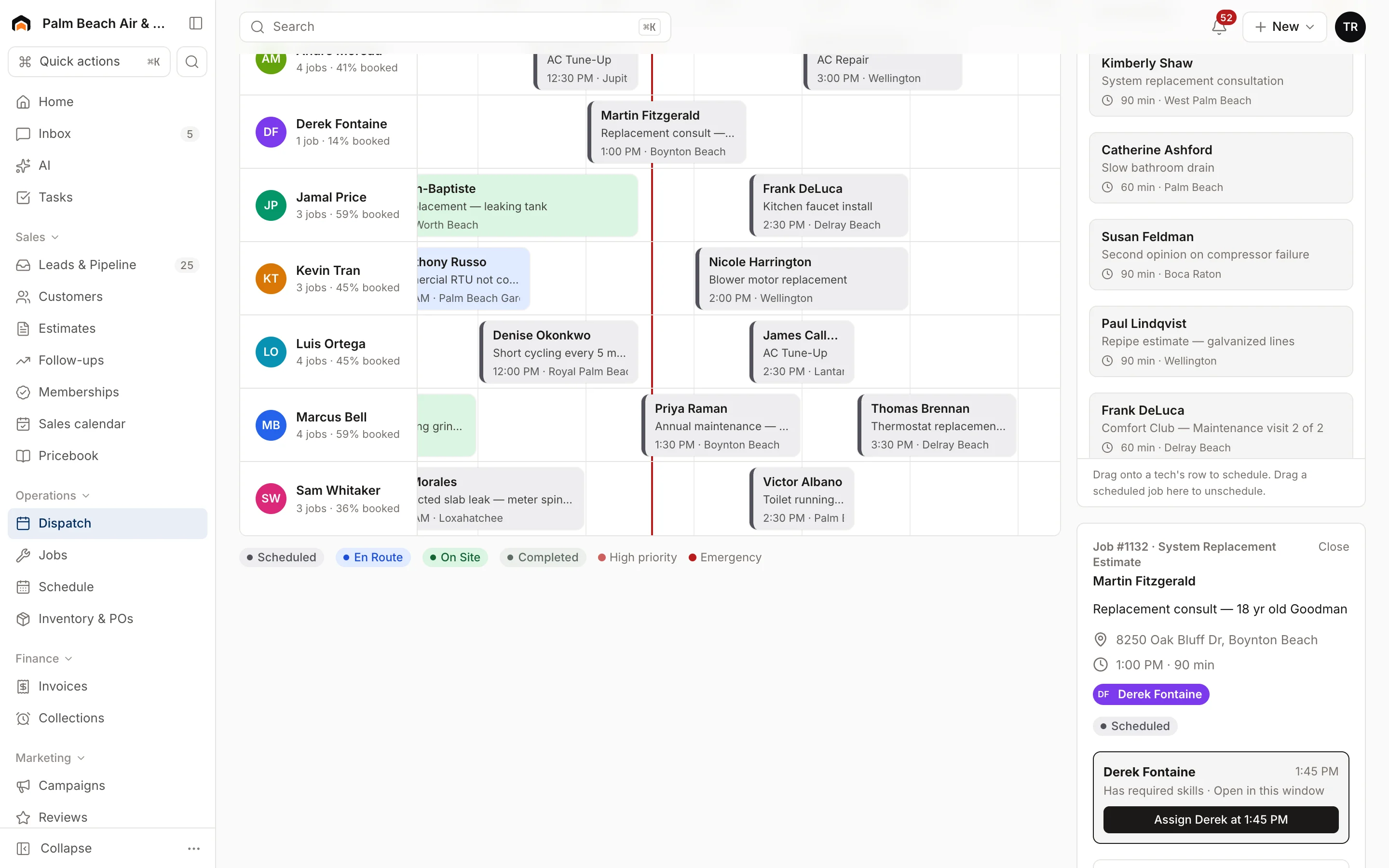
The visit moves to that tech at that time, and the board updates.
How it ranks techs
AI Suggest weighs:
- Skills: whether the tech has the skills the job type needs
- Open time: whether they have a slot long enough for the visit that day
- Distance: how far they'd drive
- Performance: how they do on revenue for this kind of work
If you see "No tech has an open slot that day", nobody has enough free time for that visit's length. Try another day, or shorten the visit.
What it won't do
AI Suggest never moves a visit by itself. Nothing changes until you click an Assign button.
AI starter pricebook
A related helper lives on the pricebook. If you're just getting started, click AI starter pricebook, pick your trades, and review the suggested flat-rate items. Keep the ones that fit. Homeforce won't create duplicates of items you already have.
Was this helpful?
Related articles
Scheduling and dispatch
Use the dispatch board
See every tech's day on one timeline, drag waiting work onto the board, and keep the day on track from the office.
AI agents
AI in Homeforce
Every AI feature in Homeforce, what each one does, who can use it, and what the AI can and can't do on its own.
AI agents
Set AI approvals
Choose which AI actions wait for a person to approve, and see how approvals work in Homeforce today.
AI agents
Try the AI receptionist
How the AI receptionist qualifies callers and books into open time, how to test it in the simulator, and what its settings do today.
Still stuck?
Our team answers support emails during business hours, usually within a few hours.