
Log in to Homeforce
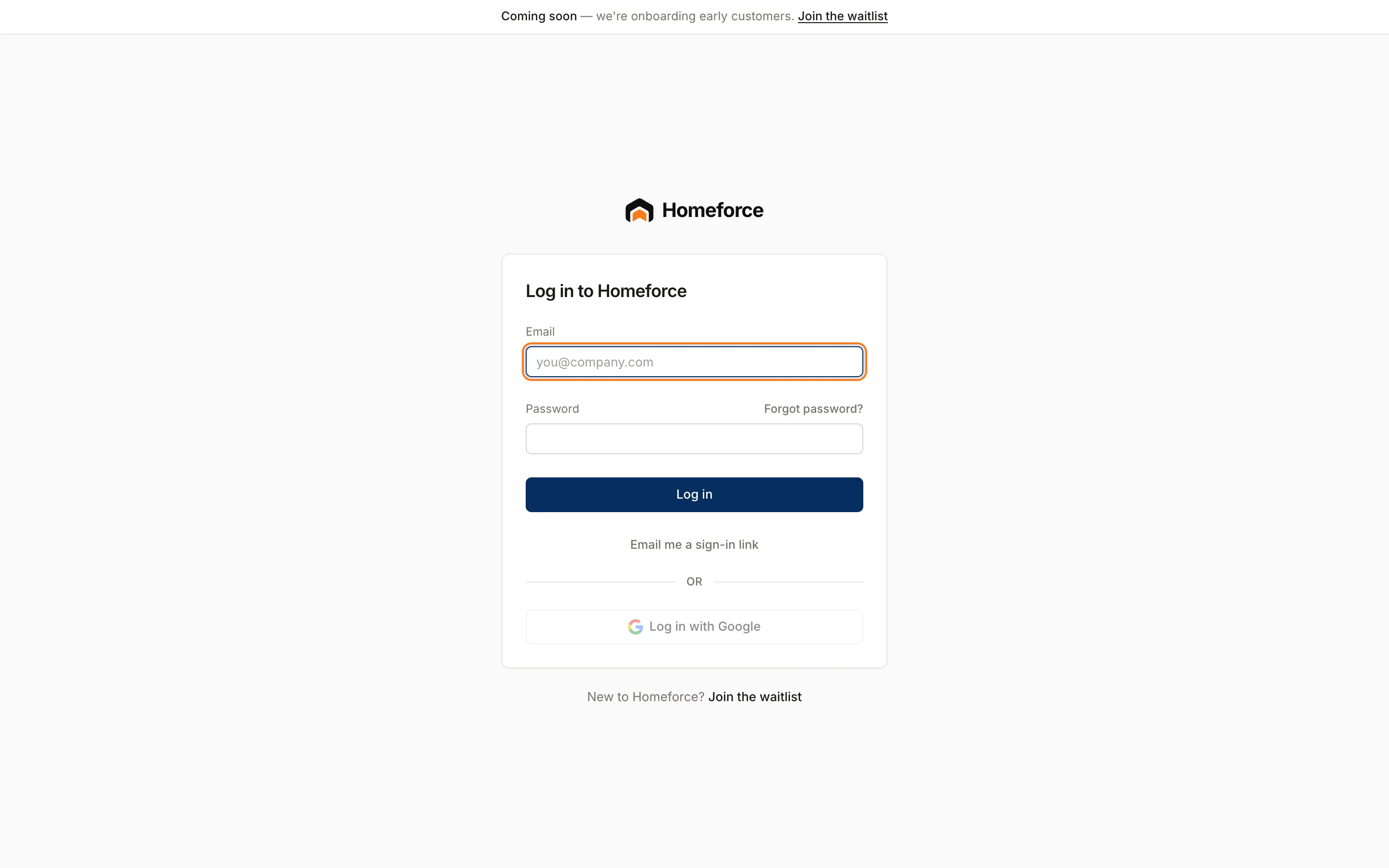
Sign in with your password, with Google, or with a one-time sign-in link sent to your email.
There are three ways to sign in. Use whichever is easiest; they all open the same account.
With your email and password
- Enter your Email and Password.
- Click Log in.
With an email sign-in link
Good for team members who were invited and never set a password.
- Type your Email. Leave the password blank.
- Click Email me a sign-in link.
- Open the email and click the link.
The link works once and expires in 15 minutes. If it has expired, request a new one.
With Google
Click Log in with Google and pick your Google account. This only works if your Homeforce account uses the same email as that Google account. If you see "There's no Homeforce account for that Google login", sign in with the email you were invited with.
If the Google button is greyed out, Google sign-in isn't available yet. Use your password or a sign-in link.
Common messages
- "That email and password don't match": check for typos. If you've never set a password, use Forgot password? or Email me a sign-in link.
- "You're signed in, but you're not part of a company on Homeforce yet": ask your owner or admin to invite you. See Invite your team.
- "That link expired or was already used": request a new link.
How long you stay signed in
Sign-ins last a set number of days, then you sign in again. If you belong to more than one company, switch between them from the company name at the top of the sidebar.
Technicians sign in to the field app with the same email. See Get the mobile app.
Was this helpful?
Related articles
Getting started
Reset or set your password
Get an email link to choose a new password, or to set one for the first time if you were invited.
Settings
Security and the audit log
Limit who can join your team by email domain, sign someone out of every device, and see a record of every change.
Mobile app
Get the mobile app and sign in
Install the Homeforce app on your iPhone or Android phone, accept your team invite, and sign in with a code, password or Google.
Getting started
Welcome to Homeforce
What Homeforce does, how the app is laid out, and what you see on Home when you sign in.
Still stuck?
Our team answers support emails during business hours, usually within a few hours.