
Enroll a customer in a membership
Sign a customer up for a membership plan, bill the first period and turn on member pricing.
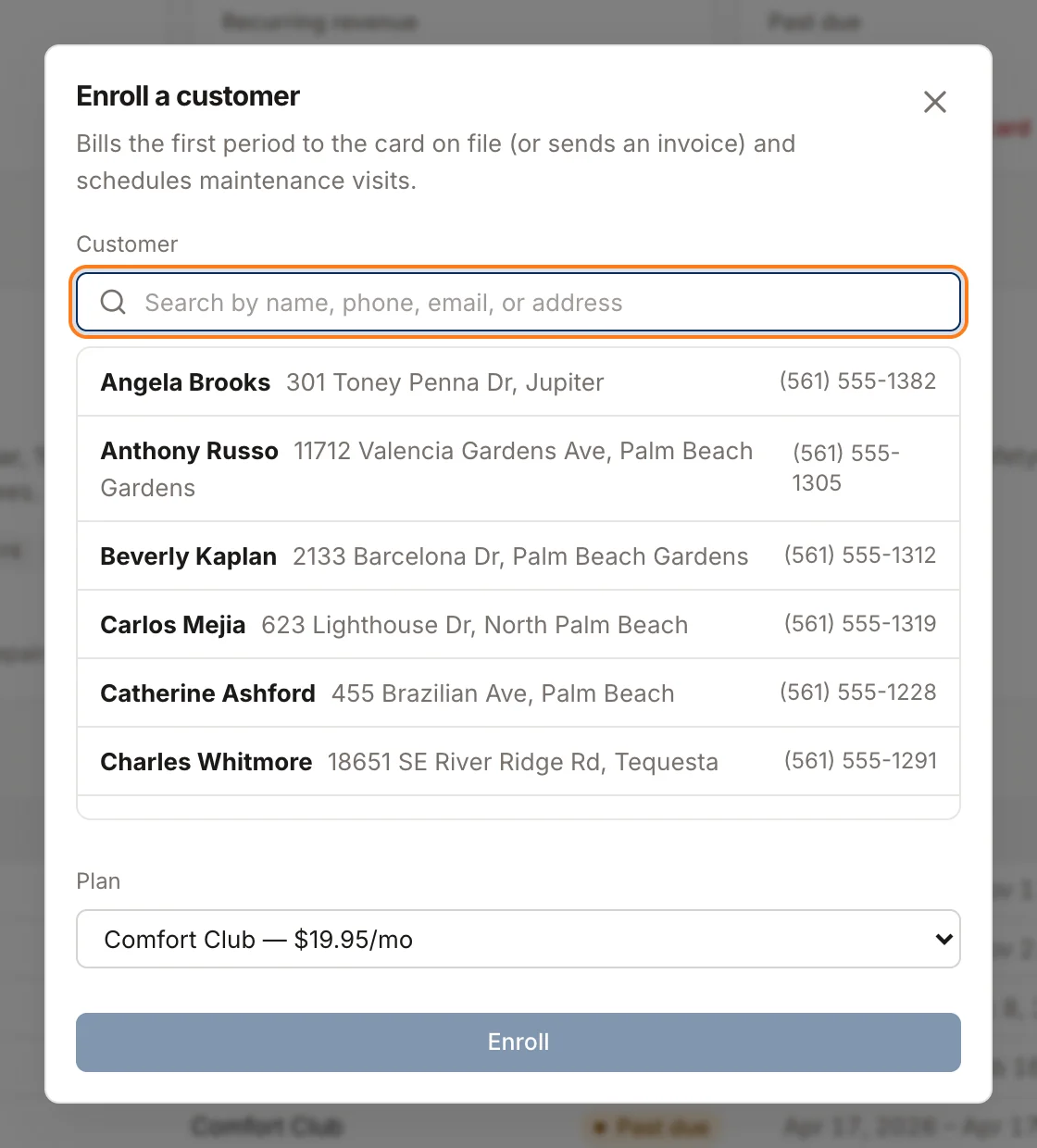
Enrolling a customer starts their agreement, bills the first period, schedules their maintenance visits and turns on member pricing, all in one step. Anyone who can edit customers can enroll, so CSRs, salespeople and project managers can sell memberships too.
Before you start
Save a card on file for the customer if you can. Homeforce charges the saved card automatically each period. Without one, every bill goes out as an invoice and the agreement shows as Past due until it's paid (see Membership billing).
To save a card, collect any payment from the customer and check Save for future payments (with customer consent) in the payment window. See Collect a payment.
Enroll the customer
- Go to Memberships.
- Click Enroll customer.
- Search for the customer by name, phone, email or address.
- Choose the Plan. Each option shows the plan's price and billing period.
- Click Enroll.
You'll see "enrolled — member pricing is on" when it's done.
What happens next
- The agreement starts today and runs for 12 months. It appears in the Agreements list with its term, next bill date and price.
- The first period is billed right away. If the customer has a default card on file, it's charged. If not, or the card is declined, an invoice for the period is sent to the customer by text and email with a pay link.
- Maintenance visits are planned for the whole term, spread evenly. They turn into jobs as they come due. See Schedule included maintenance visits.
- Member pricing turns on. The customer gets a Member badge on their record, in the customer search and on their jobs, and pricebook items are priced at member rates on new estimates and invoices. See Give members special pricing.
The membership invoice has one line, like "Comfort Club membership (monthly)", with the billing period underneath. It isn't taxed.
Find a customer's membership
Open the customer's record. The Membership box shows the plan, price and term end date. Click it to go to the Memberships page. Clicking a row in the Agreements list opens that customer.
Was this helpful?
Related articles
Recurring
Set up membership plans
Create maintenance plans and service agreements with recurring billing, included visits and member pricing.
Recurring
How membership billing works
When Homeforce charges members, what happens when a card fails, and how to handle past-due agreements.
Recurring
Schedule included maintenance visits
How membership visits become jobs, when they're created, and how to get them on the schedule.
Invoices and payments
Collect a payment
Take card, card-on-file, card reader, bank, cash or check payments on an invoice, including partial payments.
Still stuck?
Our team answers support emails during business hours, usually within a few hours.