
Offer a recurring plan on a proposal
Add an optional repeat-service version of an area, like a quarterly window cleaning plan, that the customer can add before signing.
On a proposal for a recurring trade (lawn care, landscaping, pool service, cleaning, window cleaning or pressure washing), you can offer a repeat-service plan next to the one-time job with one click.
Add the plan
- In the proposal builder, open an area's ⋯ menu.
- Click Offer as a recurring plan. The right side of the menu shows the cadence it will use, for example quarterly plan.
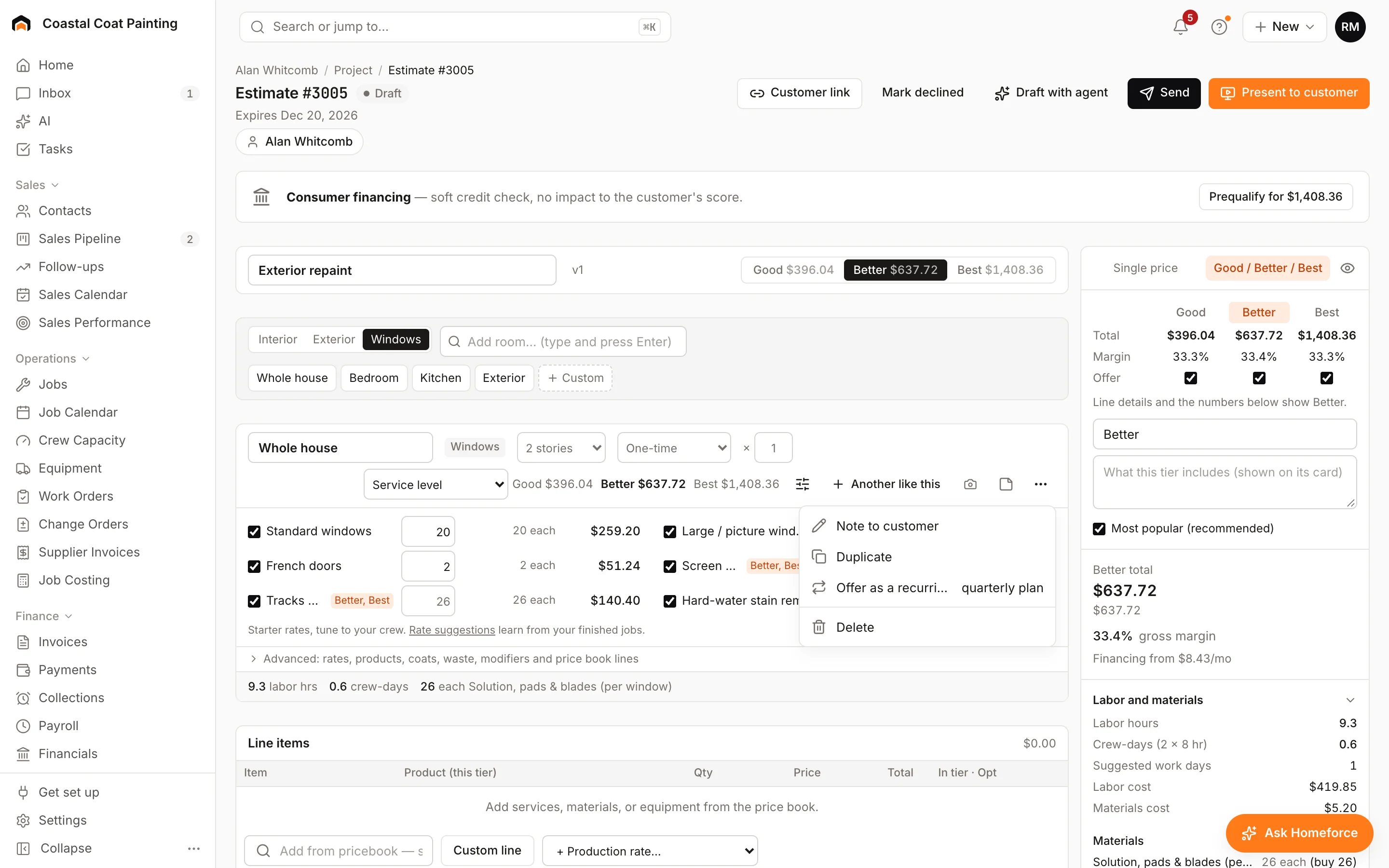
Homeforce adds a copy of the area right below it, named for the plan (for example Whole house: quarterly plan). The copy keeps the same lines, counts and satellite outline, and it's marked optional.
The cadence and price
The plan uses the area's own schedule if it already repeats. Otherwise it uses your trade's usual one: weekly for lawn, landscaping and pools, every 2 weeks for cleaning, and quarterly for windows and pressure washing.
The visit count follows the cadence: 30 visits a season for weekly, 15 for every 2 weeks, 12 a year for monthly and 4 a year for quarterly. Change it under How often and visits on the area.
The plan's price covers all of its visits. The builder shows the price per visit, and the customer sees a line like Quarterly · 4 visits · $129 a visit · about $43 a month.
When the customer signs
The plan appears under Optional add-ons on the proposal. If the customer adds it before signing, it counts in the total, the deposit and the invoices.
Was this helpful?
Related articles
Sales
Build a proposal
Price a job area by area from its measurements, offer Good, Better and Best, and send a proposal the customer can sign online.
Recurring
Set up membership plans
Create maintenance plans and service agreements with recurring billing, included visits and member pricing.
Recurring
Schedule included maintenance visits
How membership visits become jobs, when they're created, and how to get them on the schedule.
Recurring
Enroll a customer in a membership
Sign a customer up for a membership plan, bill the first period and turn on member pricing.
Still stuck?
Our team answers support emails during business hours, usually within a few hours.