
Connect Quo (OpenPhone)
Keep your Quo numbers and bring texts and calls into Homeforce's inbox and customer timelines.
If your company already uses Quo (formerly OpenPhone), you can keep your numbers and connect them to Homeforce. Texts and calls sync into the Homeforce inbox and onto customer records, and texts you send from Homeforce go out from your Quo number.
Owners and admins can connect Quo. You'll need admin access to your Quo workspace.
What syncs
- Text messages: two-way, as they happen.
- Calls: pulled from Quo every 15 minutes, with recordings when Quo has them.
Before you start
In Quo, find your API key and set up a webhook so Quo can tell Homeforce about new texts and calls. You'll copy Quo's Webhook signing secret into Homeforce. Quo's help center explains where both live in your workspace settings.
Connect Quo
- Go to Settings → Integrations.
- Find Quo (OpenPhone) under Phone & SMS and click Connect.
- Paste your API key and Webhook signing secret.
- Click Save & verify.
- On Account, name the connection. If you have more than one business unit, pick which one this Quo account belongs to.
- Tick Send all customer texts (reminders, on-my-way, inbox replies) from this provider so Homeforce's texts go out from your Quo number.
- On Mappings, set up your Lines (below), then Continue.
- Check the Sync rules and click Continue, then Turn on sync.
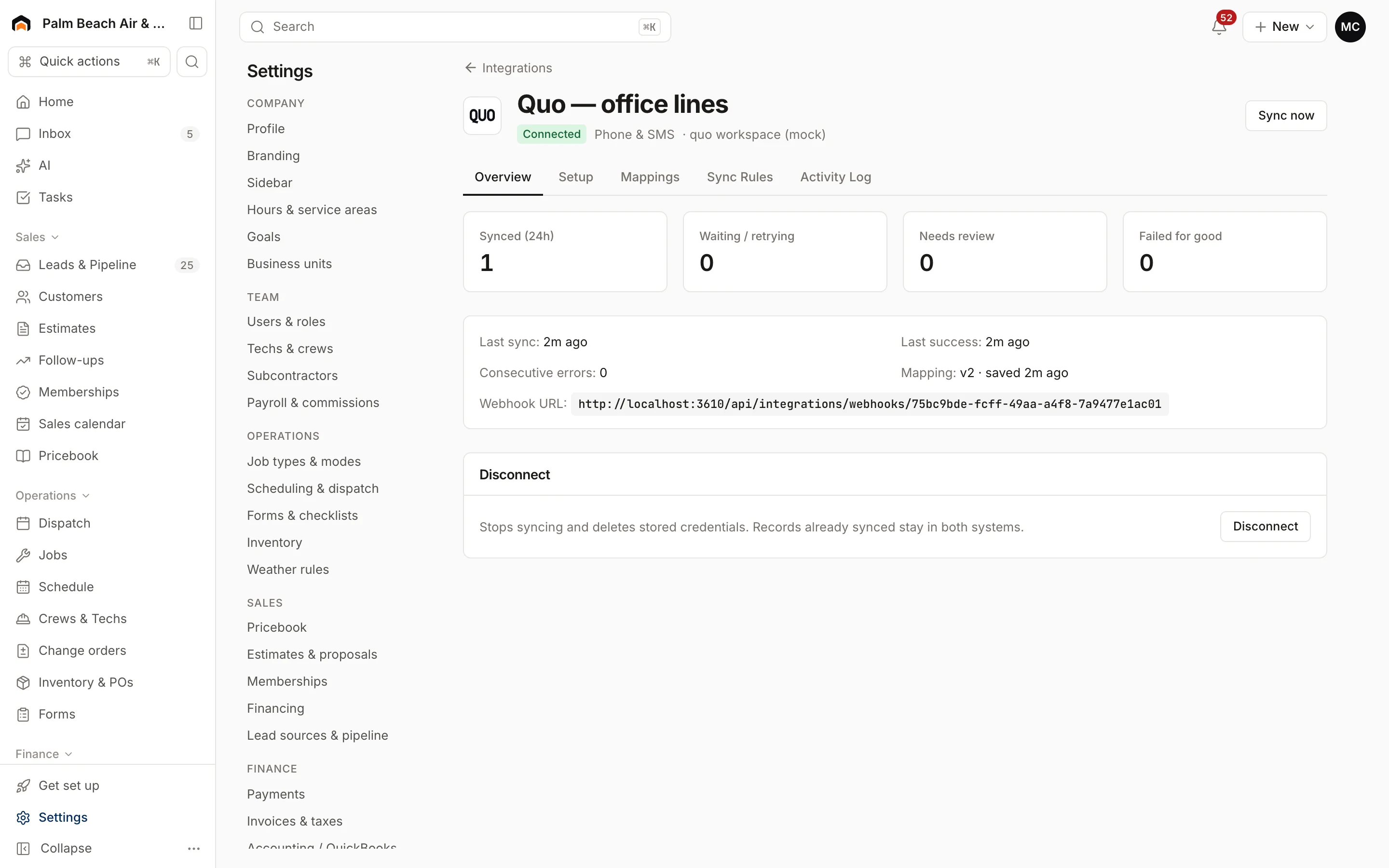
After you connect, open the connection's Overview tab and copy the Webhook URL. Add it as the webhook address in Quo so new texts and calls reach Homeforce right away.
Map your lines
For each Quo number under Lines, choose:
- A Business unit and Lead source, so calls and texts on that line are credited correctly.
- Who answers: the Shared inbox, or an Assigned person.
Check that it's working
Text your Quo number from your cell phone. The message should show up in the Homeforce inbox. On the connection page, Activity log shows each text and call, and Incoming webhooks shows verified for messages Quo sent.
If texts aren't arriving, check that the webhook URL in Quo matches the one on Overview, and that the signing secret you pasted is current.
Was this helpful?
Related articles
Integrations
Texting and phone numbers
How customer texts are sent from Homeforce, the status of Homeforce's own business numbers, and how to text today with Quo.
Integrations
Manage a connection
Set up and run a connected integration, including mappings, sync rules, the activity log, Sync now, backfills and disconnecting.
Integrations
Browse and connect integrations
Find integrations on the Integrations page, see which are available now and which are coming soon, and connect one.
Integrations
QuickBooks Online
The status of the QuickBooks Online integration, what it will sync and which way, and how mappings and sync rules work.
Still stuck?
Our team answers support emails during business hours, usually within a few hours.