
Parts and inventory on jobs
Record parts used from a truck or warehouse on a job, so stock goes down and the cost lands on the job.
When a tech uses a part from their truck or your warehouse, record it on the job. Homeforce takes it out of stock and adds what it cost you to the job, so job costing stays accurate on service calls as well as projects.
Record parts used
- Open the job and go to the Visits tab.
- Under Parts used, pick where it came from (the truck or warehouse).
- Pick the part.
- Enter the quantity.
- Click Use.
The stock at that location goes down, and a material cost entry like "Parts from stock: 2× 40/5 MFD capacitor" is added to the job at the part's cost from your pricebook.
The Inventory page
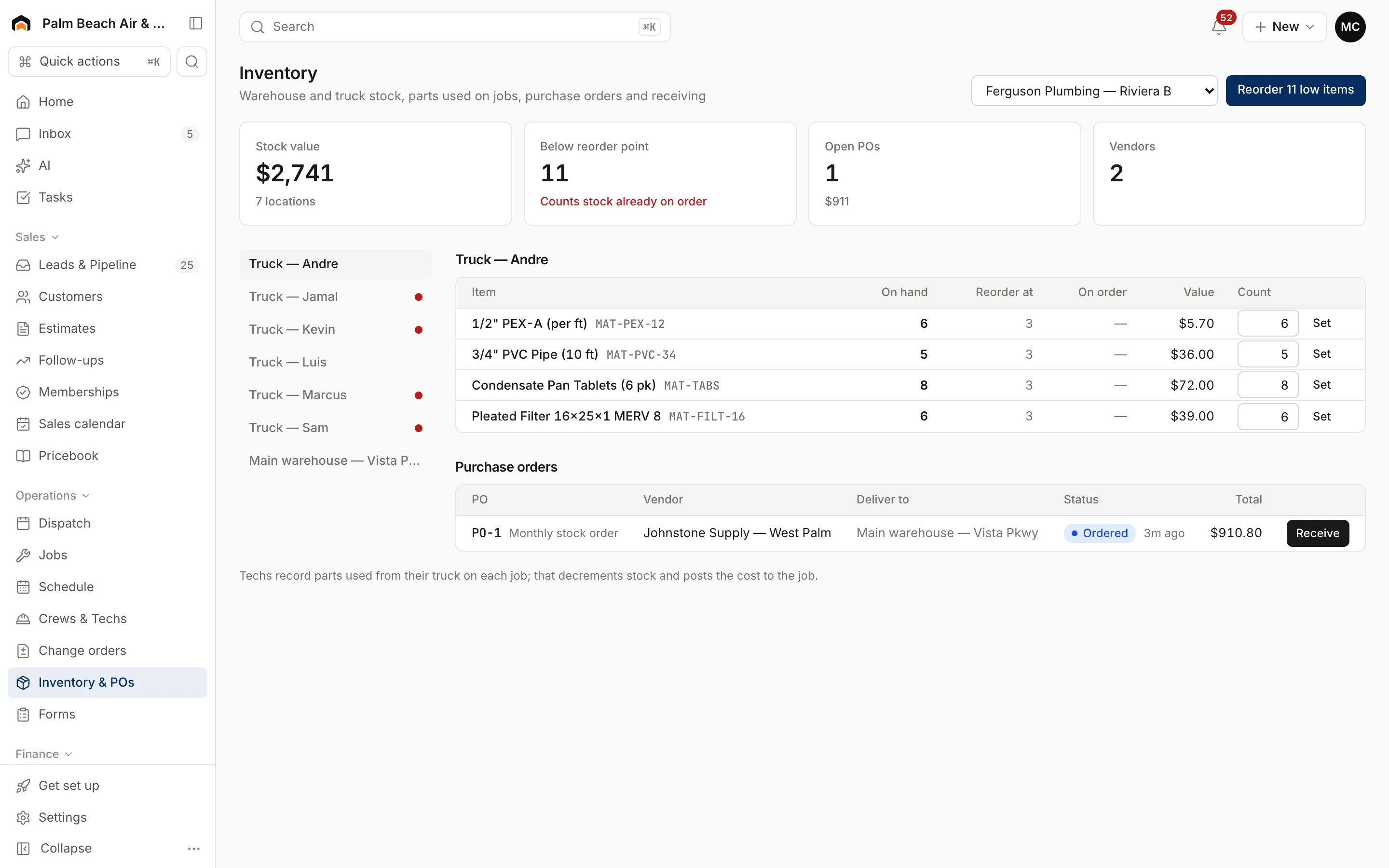
Inventory & POs in the sidebar shows your stock and purchase orders.
- Stock value, how many items are Below reorder point, Open POs and Vendors across the top.
- Pick a location (a warehouse or truck) on the left to see what's there: On hand, Reorder at, On order and Value. Locations with low stock have a red dot.
- After a physical count, type the real number under Count and click Set.
- When items are low, pick a vendor at the top and click Reorder (the button shows how many low items, like Reorder 4 low items) to create a purchase order for them.
- When an order arrives, click Receive on the purchase order to add it to stock.
Was this helpful?
Related articles
Jobs and projects
Track job costs and margin
Record costs on a job, compare a project's budget to actual spend, and see margin across your recent jobs on the Job costing page.
Jobs and projects
Find your way around a job
What's on the job page - the header actions, money and summary panels, job details, and the Activity, Visits, Estimates, Invoices, Costs and Files tabs.
Jobs and projects
Job and project workflows by trade
How HVAC, plumbing, electrical, painting, roofing, remodeling, route-based and cleaning companies typically set up jobs, visits and projects in Homeforce.
Jobs and projects
Jobs, visits and projects
How Homeforce organizes work - a job holds one or more visits, and a project is a job with phases, a budget and change orders.
Still stuck?
Our team answers support emails during business hours, usually within a few hours.