
Job costing summary
Compare revenue, cost and margin across your recent jobs and projects to spot the ones losing money.
The Job costing page lists your most recent jobs with what each one brought in, what it cost, and the margin. It's the quickest way to see which work is making money. Click Job costing in the sidebar.
Owners, admins, project managers and accounting users can see it. Other roles can't see costs or margins.
Read the page
The header shows how many jobs are listed, their combined revenue, and the overall gross margin.
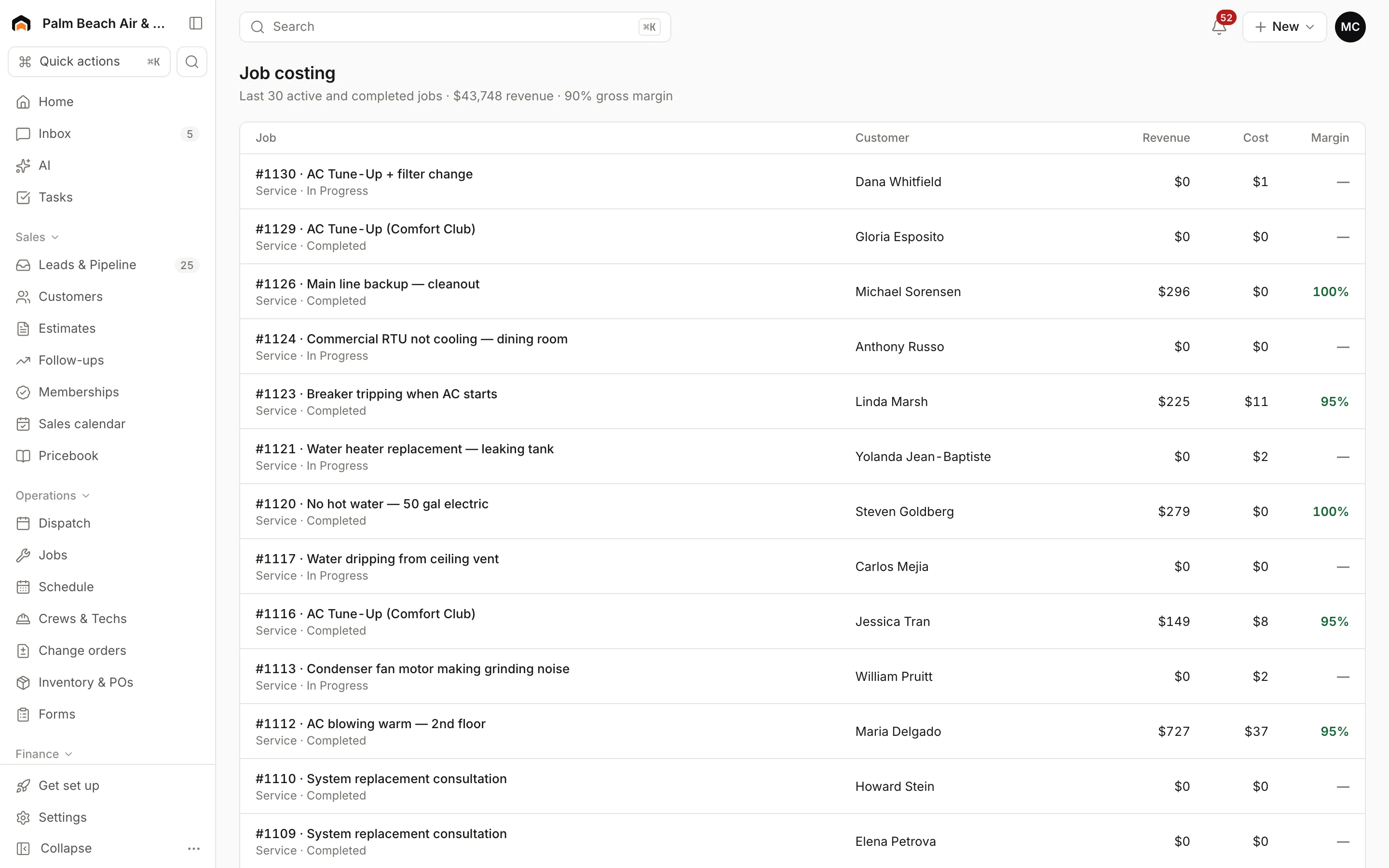
The table shows the 30 most recently updated jobs that are in progress, completed or invoiced:
- Job: number and summary, with whether it's a service job or a project and its status. Click it to open the job.
- Customer
- Revenue: for projects, the contract amount plus approved change orders. For service jobs, the total of the job's invoices (not counting voided ones).
- Cost: everything charged to the job (see below).
- Margin: revenue minus cost, as a percentage. Green is 40% or more, amber is 20–40%, and red is under 20%. A dash means there's no revenue yet.
What counts as cost
Job costs come from the same cost model your accounting sync uses, so margins here match your books:
- Labor: on-site time from the team's time entries, at each person's pay rate plus your labor burden. Warranty and callback labor is tracked separately.
- Materials, subcontractors, equipment rentals, permits and other costs added on the job, including parts received on job purchase orders and expense card purchases coded to the job.
- Commissions and spiffs earned on the job.
- Payment processing fees and financing dealer fees.
Set your Labor burden % in Settings → Accounting / QuickBooks.
Dig into one job
Open a project to see its budget versus actual by phase, projected margin and percent complete. See Jobs vs. projects.
Was this helpful?
Related articles
Jobs and projects
Jobs, visits and projects
How Homeforce organizes work - a job holds one or more visits, and a project is a job with phases, a budget and change orders.
Jobs and projects
Change orders
Price added or changed scope on a project, get the customer's signature, and roll it into the contract, budget and progress billing.
Invoices and payments
Expense cards and capital
Issue spending cards to your team, code purchases to jobs, and review capital offers based on your card sales.
Reports
Reports overview
See revenue, invoicing, average ticket, close rate, team performance and lead source ROI for any recent period.
Still stuck?
Our team answers support emails during business hours, usually within a few hours.