
Draft a proposal with the estimating agent
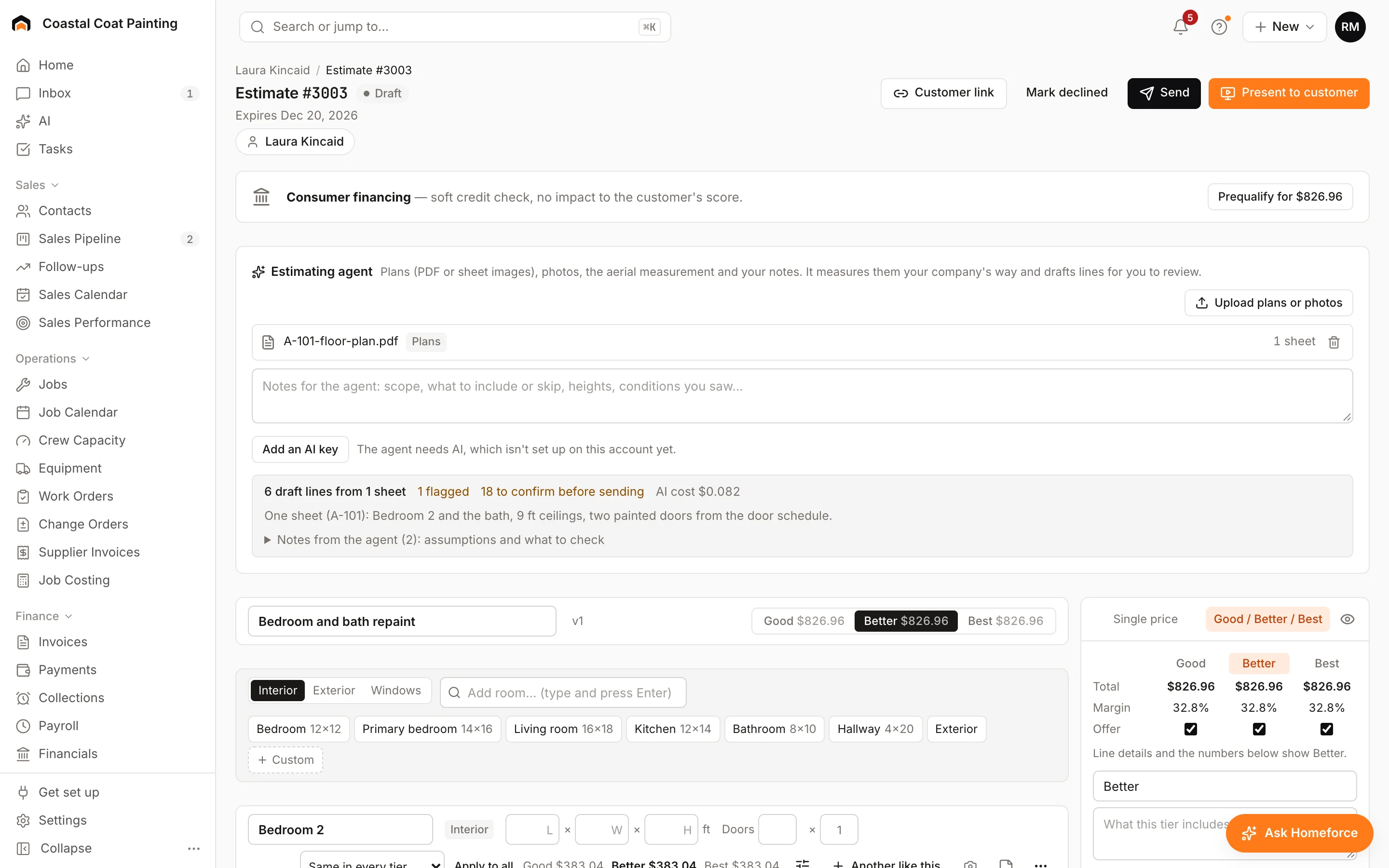
Upload plans or photos and let the estimating agent measure the work and draft priced lines from your own rates, then confirm each line before sending.
The estimating agent reads plans or photos, measures the work and drafts the lines of a proposal, priced from your own rates. You check every line before anything goes to the customer.
Start a bid
- On a project page, click Bid w/ plans.
- On a draft proposal, click Draft with agent.
The Estimating agent panel opens on the proposal.
Draft the lines
- Click Upload plans or photos. You can add PDFs and images, up to 3 MB each and 12 files per proposal. Mark each image as a Plan sheet or a Photo.
- If the job was measured on satellite, you can have the agent use that measurement.
- Add notes for the agent: the scope, what to include or skip, heights, anything you saw on site.
- Click Draft with agent.
The agent adds lines to every tier and tells you how many sheets it read, how many lines it drafted and what to double-check under Notes from the agent.
Check each line
Every drafted line shows where it came from: the plan sheet (click it to open the sheet), a photo, the satellite outline, your notes or an assumption. It also shows how the quantity was measured and how sure the agent is.
Click Confirm on each line once you've checked it. You can't send the proposal until every agent line is confirmed. Draft again replaces only the lines you haven't confirmed.
When your company uses production rates, the agent prices from them with your labor rate, markup and minimum, and each line explains its math. Price book items keep their prices.
Train it
Owners and admins set it up in Settings → AI → Estimating agent:
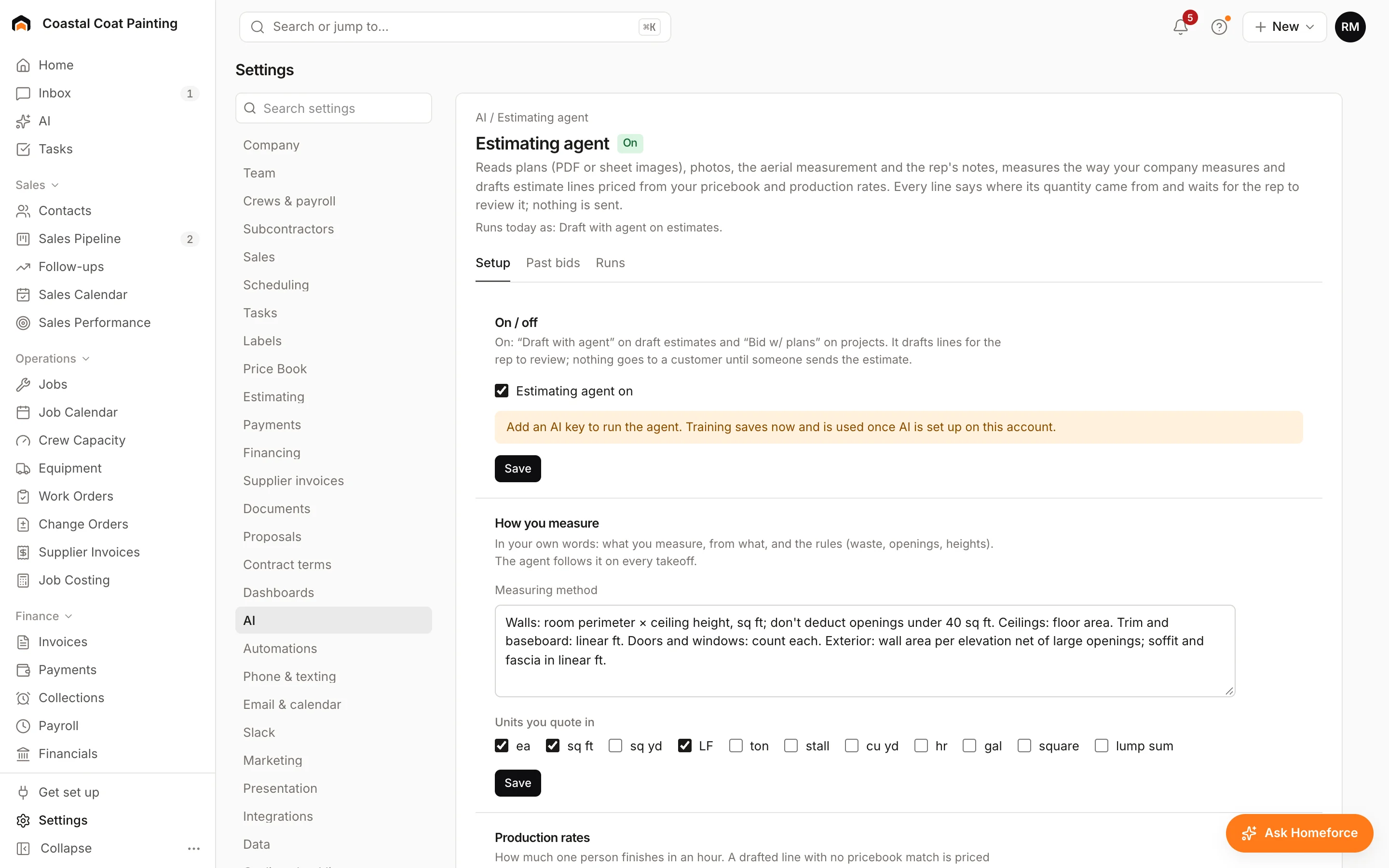
- Setup: turn the agent on, say how you measure, and set its rates, labor rate, markup and minimum job.
- Past bids: add past estimates or upload old bids as examples.
- Runs: every run in the last 30 days with its cost.
Was this helpful?
Related articles
Sales
Build a proposal
Price a job area by area from its measurements, offer Good, Better and Best, and send a proposal the customer can sign online.
Sales
Price with production rates
How production-rate lines turn measurements into labor hours, materials and a price, and how to override one.
Sales
Work a deal on the project page
Everything about one deal in one place: its stage, score, proposals, colors or selections, appointments and every text, call and note.
AI agents
AI estimates, follow-ups and dictation
Let AI draft good/better/best estimates from your notes, write estimate follow-ups, and turn a tech's spoken notes into clean visit notes.
Still stuck?
Our team answers support emails during business hours, usually within a few hours.