
Hours and service area
Set your business hours, workday, online booking windows and the ZIP codes you serve.
Settings → Hours & service areas controls when customers can book online, the hours shown on the dispatch board, and where you work. Owners and admins can change it. Each section has its own Save button.
Business hours
Check each day you're open and set its opening and closing times. Unchecked days are closed.
Online booking only offers arrival windows inside these hours, so customers can't book on a closed day.
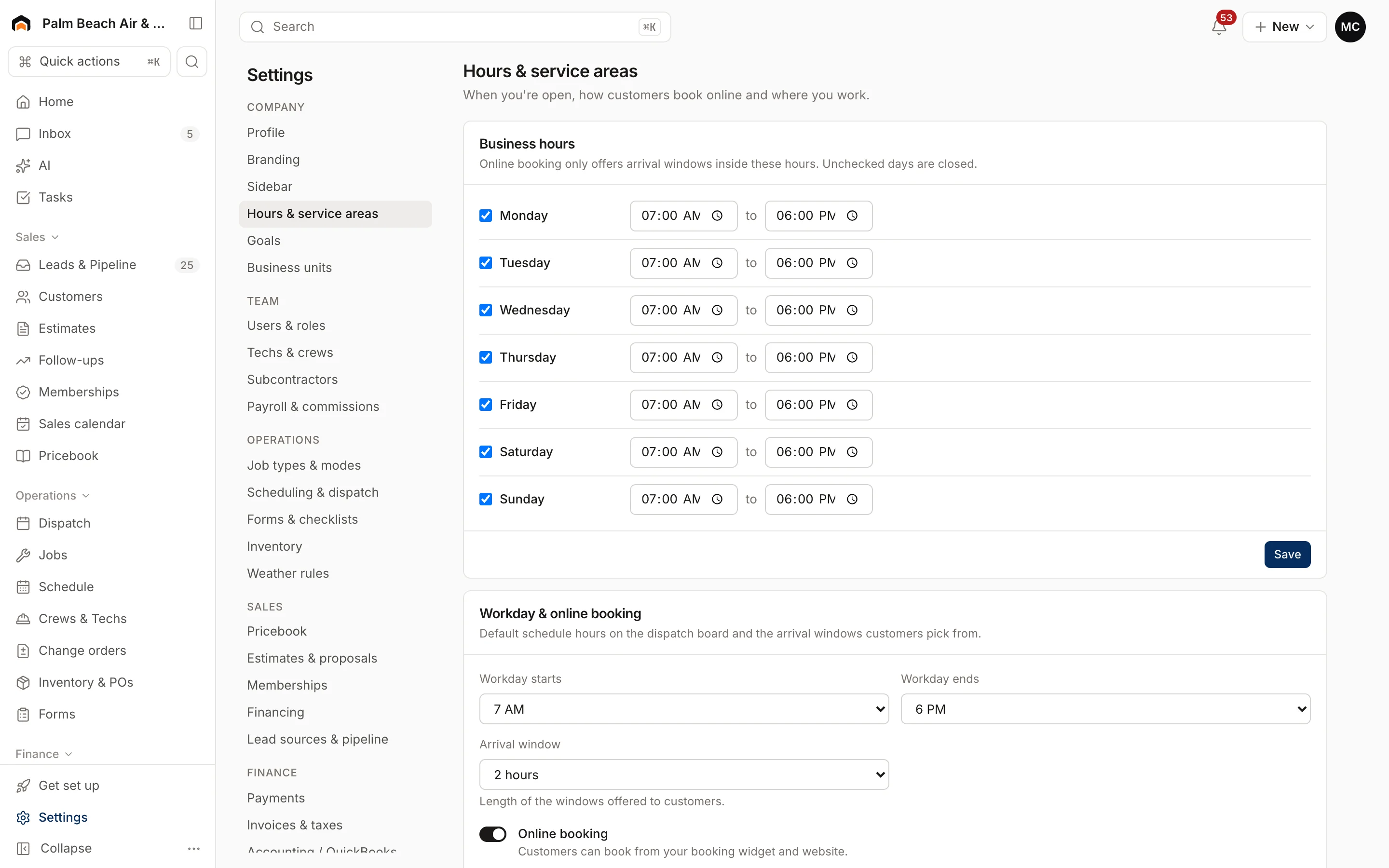
Workday and online booking
- Workday starts and Workday ends: the default hours on the dispatch board. Also used for booking on any day you haven't set hours for.
- Arrival window: how long the windows offered to customers are: 2, 3 or 4 hours.
- Online booking: turn this off to stop customers booking from your booking widget and website.
Service area
- ZIP codes: list the ZIPs you serve, separated by commas or new lines. Every entry must be 5 digits. Online bookings from other ZIPs are turned away with a message saying you don't serve that area yet. Leave the box empty to accept every ZIP.
- Service radius (miles): how far you travel from your company address. It's shown to your team but isn't enforced on bookings.
Related settings
- Visit lengths and double-booking: Scheduling and weather.
- Which job types customers can book online: Job types and work modes.
Was this helpful?
Related articles
Settings
Scheduling and weather rules
Set default visit lengths, arrival windows and double-booking, and the weather limits that flag outdoor work.
Settings
Job types and work modes
Set the kinds of work you do and create job types that control how each kind of work runs, books and shows on the board.
Settings
Company profile and branding
Set your company name, trades, license number, contact details, time zone, logo and your own profile photo.
Settings
Users and permissions
Invite people, change their role, limit sales reps to their own pipeline, and deactivate someone who leaves.
Still stuck?
Our team answers support emails during business hours, usually within a few hours.