
Company profile and branding
Set your company name, trades, license number, contact details, time zone, logo and your own profile photo.
Your company details and logo appear on everything customers see: estimates, invoices, pay links, the customer portal and online booking. Owners and admins can change them. Everyone can set their own photo.
Profile
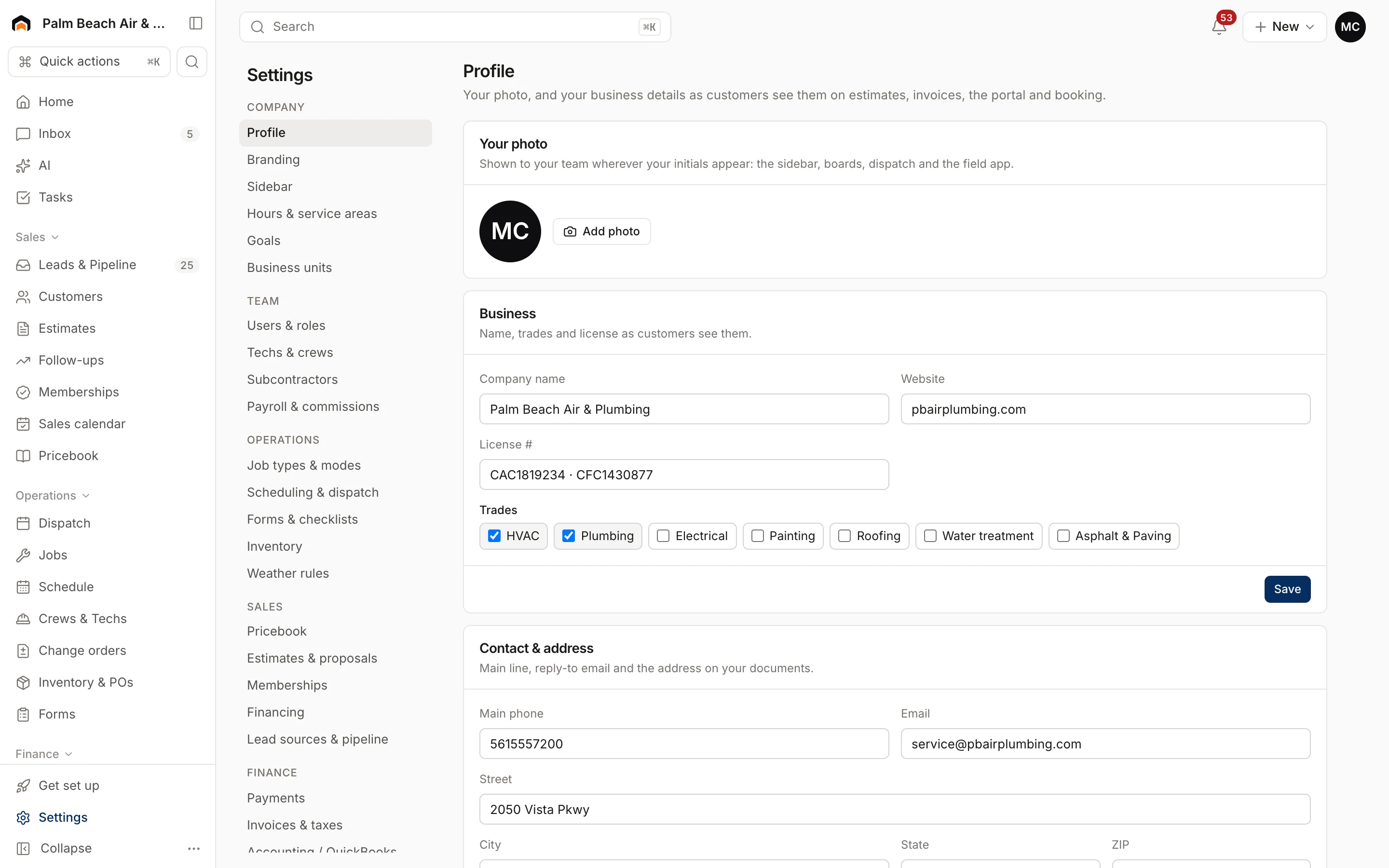
Go to Settings → Profile. Each section has its own Save button.
- Your photo: shown to your team wherever your initials appear, like the sidebar, boards, dispatch and the field app.
- Business: Company name, Website, License # and Trades. Check every trade you do. Your license number shows on estimates and proposals.
- Contact & address: Main phone, Email and your street address. This is the address on your documents, and the email is where customer replies go unless you set a different reply-to under Settings → Email.
- Region: your Time zone. Schedules, reminders and reports all use it.
Branding
Go to Settings → Branding.
Upload your logo
- Under Logo, choose a file. Use PNG, JPG, WebP or SVG, under 2 MB.
- Click Upload.
Your logo shows on estimates, invoices, pay links, the portal and booking. If an SVG is rejected, export the logo as a PNG instead.
Color and footer
Color & documents has a Brand color (a hex code like #1F6FEB) and a Document footer line, such as "Licensed & insured · Family owned since 1998". Click Save.
Related settings
- Opening hours and the ZIPs you serve: Hours and service area.
- Terms and warranty text on documents: Contract terms and forms.
- Divisions or locations: Business units.
Was this helpful?
Related articles
Getting started
Set up your company
Answer five quick setup questions, then work through First steps and the Get set up checklist.
Settings
Hours and service area
Set your business hours, workday, online booking windows and the ZIP codes you serve.
Settings
Contract terms and forms
Write the terms customers accept on estimates and invoices, your warranty, and build checklists techs fill out in the field.
Settings
Users and permissions
Invite people, change their role, limit sales reps to their own pipeline, and deactivate someone who leaves.
Still stuck?
Our team answers support emails during business hours, usually within a few hours.