
Business units
Split your company into divisions or locations, like Plumbing and HVAC or North and South shops.
Business units let you split reporting, phone numbers and teams by division or location. Use them if you run more than one trade division or more than one shop. Most single-shop companies don't need them. Owners and admins can manage them.
Add a business unit
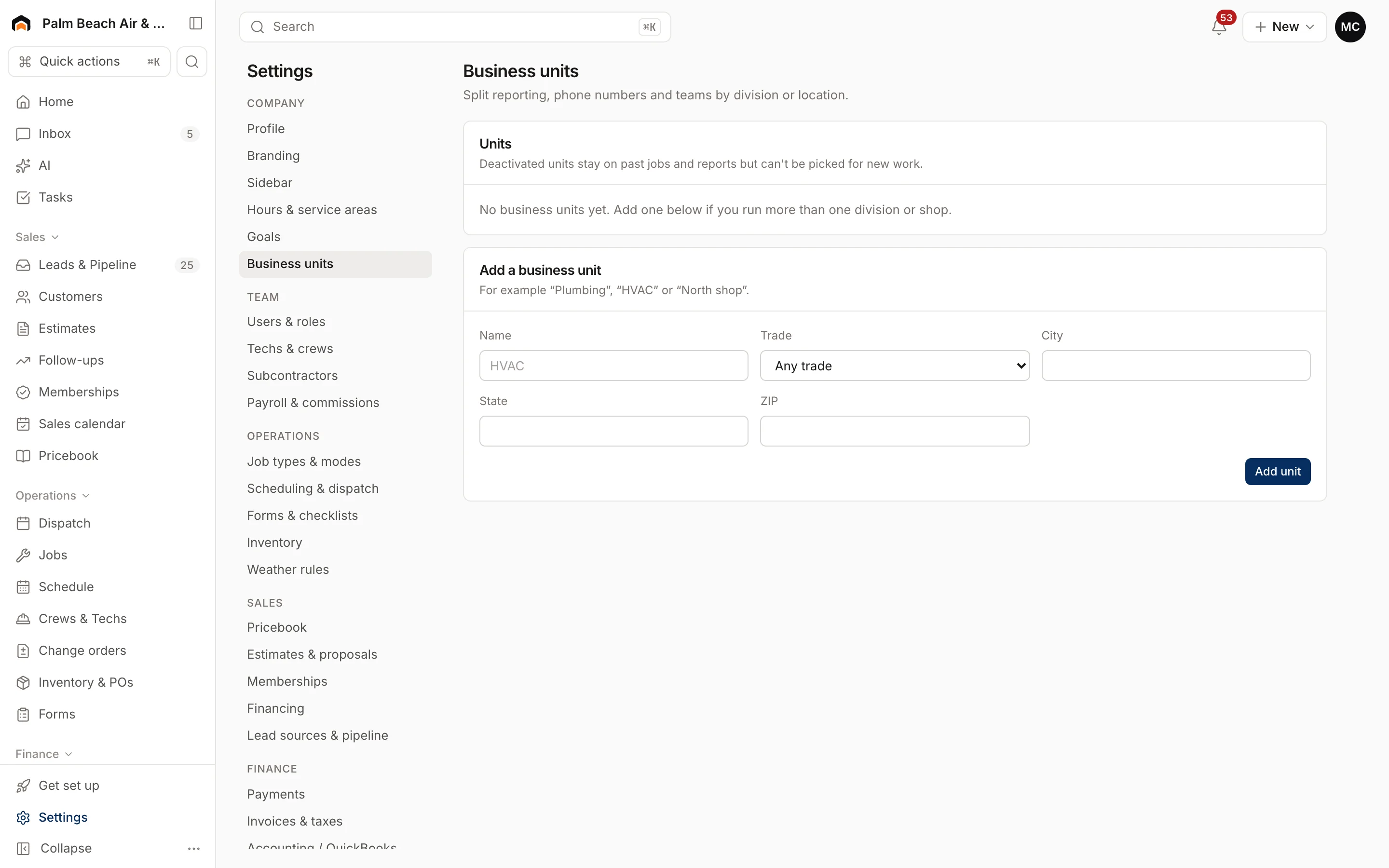
- Go to Settings → Business units.
- Under Add a business unit, enter a Name, like "HVAC" or "North shop".
- Pick a Trade, or leave it on Any trade.
- Add a City, State and ZIP if it's a separate location.
- Click Add unit.
Edit a business unit
Under Units, click a unit to open it. Change the details and click Save. Each unit shows its trade, location and how many people belong to it.
Deactivate a business unit
- Open the unit.
- Click Deactivate and confirm.
Deactivated units stay on past jobs and in reports, but can't be picked for new work. Click Reactivate to use it again.
Was this helpful?
Related articles
Settings
Company profile and branding
Set your company name, trades, license number, contact details, time zone, logo and your own profile photo.
Reports
Reports overview
See revenue, invoicing, average ticket, close rate, team performance and lead source ROI for any recent period.
Settings
Techs, crews and subcontractors
Control who shows on the dispatch board, their skills and start location, build crews, and track subcontractor insurance and W-9s.
Settings
Hours and service area
Set your business hours, workday, online booking windows and the ZIP codes you serve.
Still stuck?
Our team answers support emails during business hours, usually within a few hours.