
Reviews
Ask customers for a review automatically after they pay, and connect Google Business Profile.
Homeforce can ask happy customers for a review at the right moment: once their invoice is paid in full. Owners and admins set it up under Settings → Reviews.
Turn on review requests
- Turn on Ask for a review automatically.
- Paste your Review link, usually your Google review link.
- Under Send by, pick Text, Email or Text and email.
- Click Save.
The page also has a Wait (hours) field.
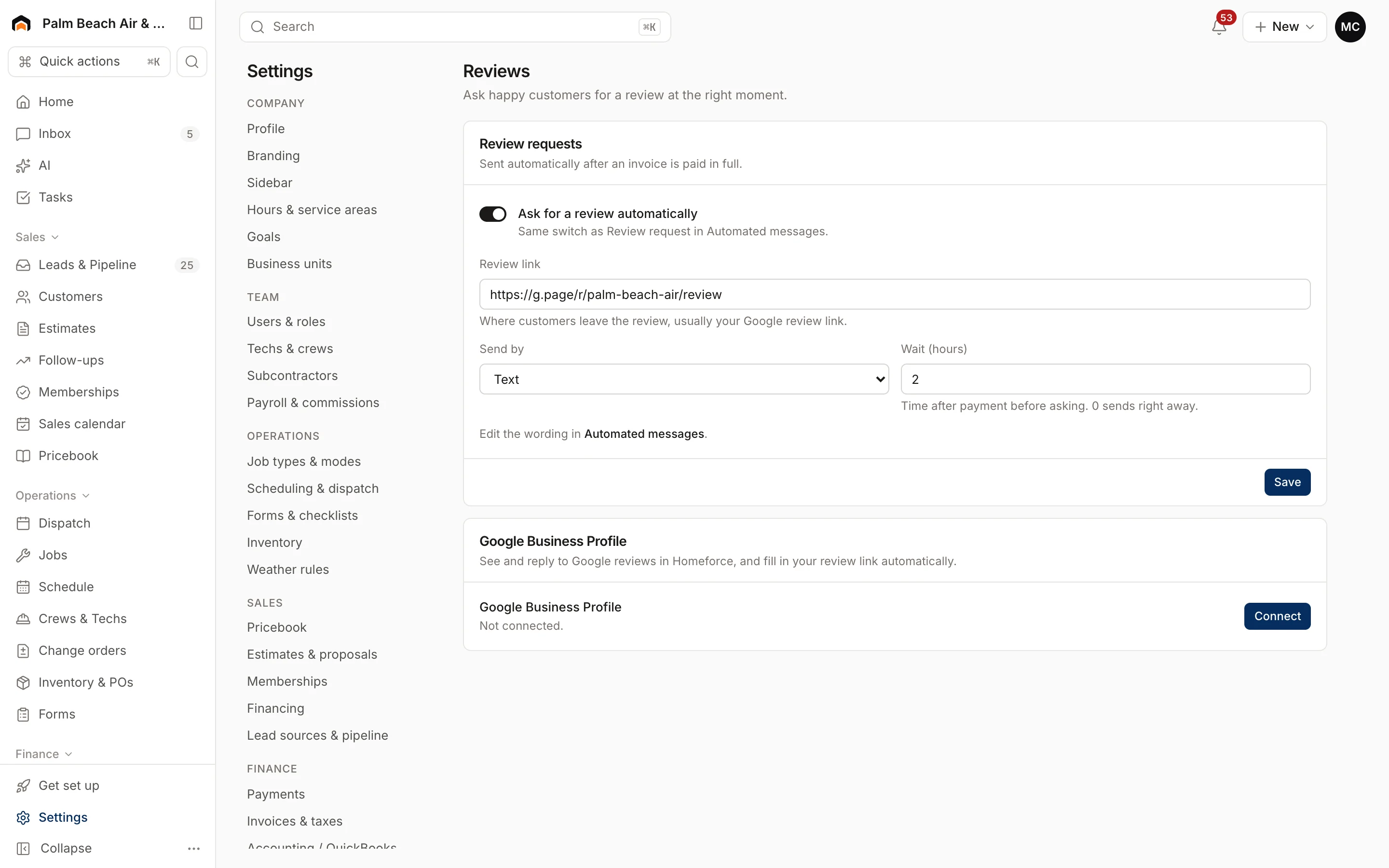
To change what the request says, click Automated messages and edit Review request. See Email and automated messages.
Connect Google Business Profile
Under Google Business Profile, click Connect. Once connected, you can see and reply to Google reviews in Homeforce, and your review link fills in automatically. Click Manage to check the connection.
Reviews show under Marketing → Reviews and on Home.
Tips for more reviews
- If you send by text, make sure texting is live first. See Set up phone and texting.
- Set a monthly reviews target under Goals.
Was this helpful?
Related articles
Settings
Email and automated messages
Set the sender name and reply-to address on customer emails, connect your mailbox, and edit the texts and emails Homeforce sends on its own.
Settings
Set up phone and texting
Register your business, get a texting number, and pass carrier review so reminders and two-way texts go out.
Reports
Set monthly goals
Set a monthly revenue goal for Home, and record targets for sales, close rate, ticket size, leads and reviews.
Settings
Company profile and branding
Set your company name, trades, license number, contact details, time zone, logo and your own profile photo.
Still stuck?
Our team answers support emails during business hours, usually within a few hours.