
Set up phone and texting
Register your business, get a texting number, and pass carrier review so reminders and two-way texts go out.
Homeforce texts customers for booking confirmations, reminders, on-my-way alerts, invoices and two-way conversations in Inbox. US carriers require every business that texts customers to register first. Settings → Phone & texting walks you through it in three steps. Owners and admins can set it up.
Check your status
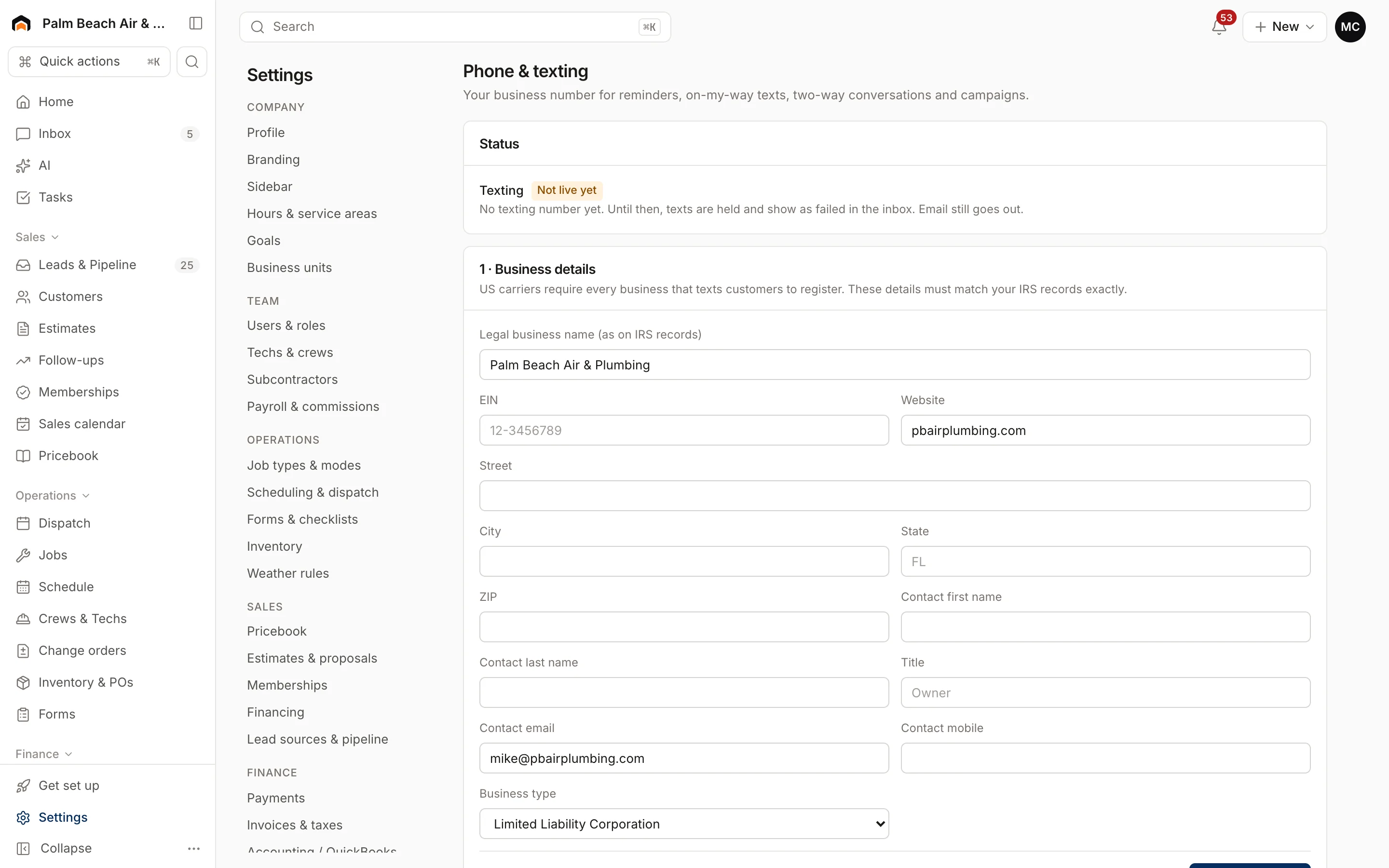
The Status section at the top shows Live once texting works, with the number you're sending from. Until then it shows Not live yet and the reason. While texting isn't live, texts are held and show as failed in the inbox. Email still goes out.
1. Business details
Fill in your business exactly as it appears on your IRS records: Legal business name, EIN, Website, address, a contact person's name, title, email and mobile, and Business type. Click Save and continue.
2. Get a texting number
- Enter an Area code and pick Local or Toll-free.
- Click Search numbers.
- Click Get it next to the number you want and confirm.
Local numbers can send once your registration is approved, usually in 1–3 weeks. A toll-free number can often start sooner while its verification is reviewed, so many shops add one as a fallback.
3. Carrier registration
Click Submit for approval. Homeforce shows each step's status:
- Brand (A2P 10DLC): your business identity.
- Campaign: what you text customers about. Filed automatically once the brand is approved.
- Toll-free verification: only if you have a toll-free number.
Each step shows Not started, Submitted, In carrier review, Approved or Rejected. Carriers take days, not minutes. Click Check status to refresh. If something is rejected, the reason appears in red. Fix your details in step 1 and click Resubmit.
Opt-outs
Opt-outs lists everyone who replied STOP. They won't get texts until they reply START.
Was this helpful?
Related articles
Settings
Email and automated messages
Set the sender name and reply-to address on customer emails, connect your mailbox, and edit the texts and emails Homeforce sends on its own.
Settings
Lead sources, call tracking and ad accounts
List where your leads come from and what each source costs, give sources tracking numbers, and connect ad platforms.
Settings
Reviews
Ask customers for a review automatically after they pay, and connect Google Business Profile.
Settings
Company profile and branding
Set your company name, trades, license number, contact details, time zone, logo and your own profile photo.
Still stuck?
Our team answers support emails during business hours, usually within a few hours.