
Turn on Labs features
Try new Homeforce features early, like AI agents, Flows and custom dashboards.
Labs has new features you can turn on before they're finished. They work, but they're still changing, and we'd like to hear what you think.
Turn a feature on or off
- Go to Settings → Labs.
- Under Early features, find the feature.
- Click Turn on (or Turn off).
Only the owner can change Labs. Turning a feature on applies to everyone in your company. Each feature shows On or Off.
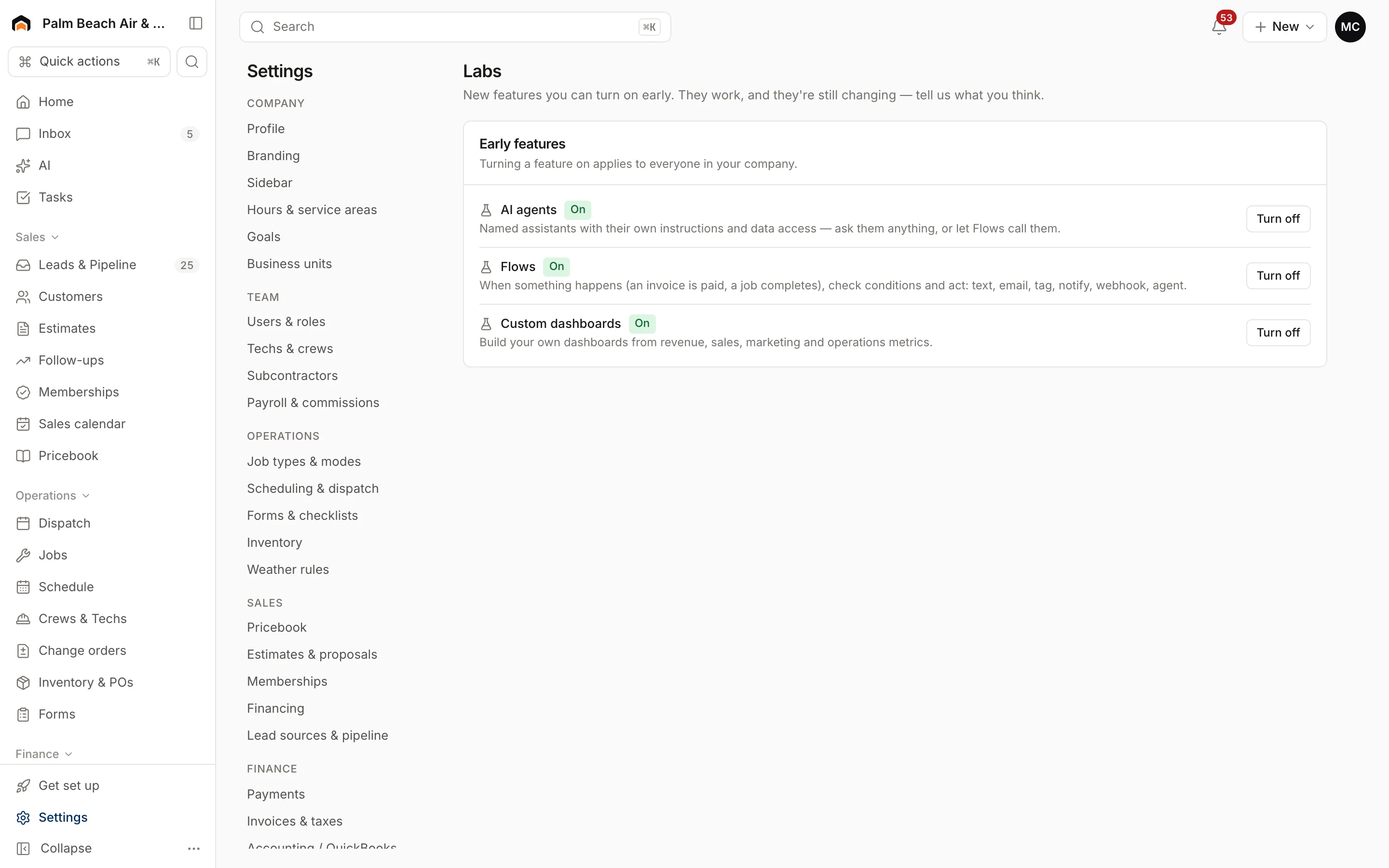
What's in Labs
- AI agents: named assistants with their own instructions and data access. Ask them anything, or let Flows call them. See AI overview.
- Flows: when something happens (an invoice is paid, a job completes), check conditions and act: text, email, tag, notify, or call an agent.
- Custom dashboards: build your own dashboards from revenue, sales, marketing and operations metrics. Once on, Dashboards appears under Insights in the sidebar.
When a feature graduates from Labs, it's on for everyone and disappears from this list. Custom fields, for example, are now always on. See Add custom fields.
Was this helpful?
Related articles
AI agents
AI in Homeforce
Every AI feature in Homeforce, what each one does, who can use it, and what the AI can and can't do on its own.
Settings
Plan and billing
See your Homeforce plan and tech seats, upgrade or downgrade, switch to annual billing, and update your card or cancel.
Reports
Reports overview
See revenue, invoicing, average ticket, close rate, team performance and lead source ROI for any recent period.
Settings
Company profile and branding
Set your company name, trades, license number, contact details, time zone, logo and your own profile photo.
Still stuck?
Our team answers support emails during business hours, usually within a few hours.