
Invoices and taxes
Set your default sales tax rate and how many days customers have to pay.
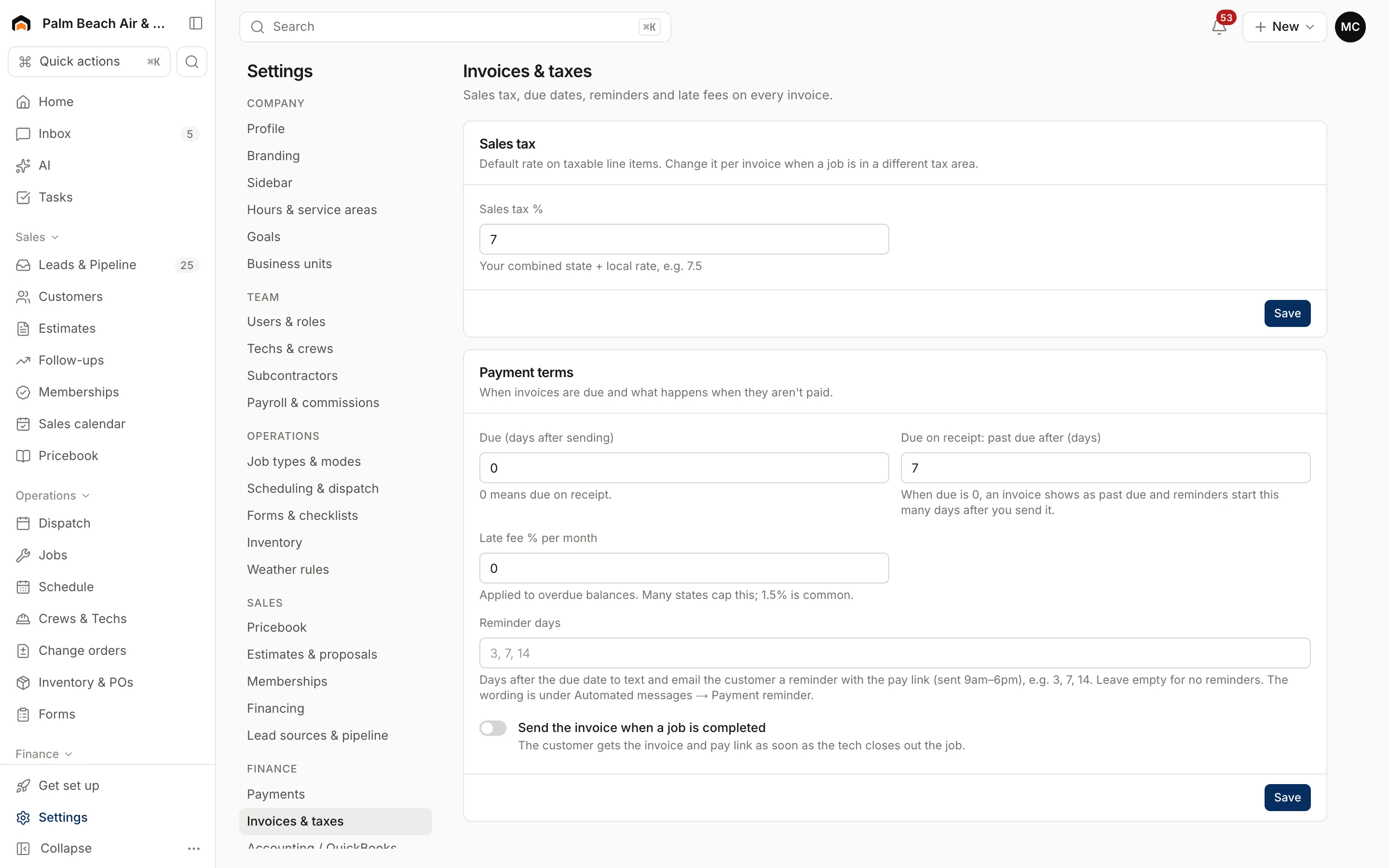
Settings → Invoices & taxes sets the defaults every new invoice starts with. Owners and admins can change them. Each section has its own Save button.
Sales tax
Enter your combined state and local rate in Sales tax %, for example 7.5. It can be from 0% to 20%.
New invoices and estimates use this rate on taxable line items. If a job is in a different tax area, change the rate on that invoice.
Payment terms
- Due (days after sending): how long customers have to pay. 0 means due on receipt. Most residential shops use 0; commercial work often uses 15 or 30.
This section also has Late fee % per month, Reminder days and Send the invoice when a job is completed.
Where invoice wording lives
- Payment terms text and the invoice footer: Contract terms and forms.
- The email or text that goes out with an invoice: Email and automated messages.
- Which payment methods customers can use: Payments and financing.
Syncing with your books
To post invoices and payments to QuickBooks automatically, see QuickBooks Online.
Was this helpful?
Related articles
Invoices and payments
Create and send an invoice
Build an invoice from your pricebook, save it as a draft or send it with a pay link by text and email.
Settings
Payments and financing
Turn on card and bank payments through Stripe, choose your payout schedule, and connect a financing lender.
Settings
Contract terms and forms
Write the terms customers accept on estimates and invoices, your warranty, and build checklists techs fill out in the field.
Integrations
QuickBooks Online
The status of the QuickBooks Online integration, what it will sync and which way, and how mappings and sync rules work.
Still stuck?
Our team answers support emails during business hours, usually within a few hours.